Macro: Add location long-lat from address
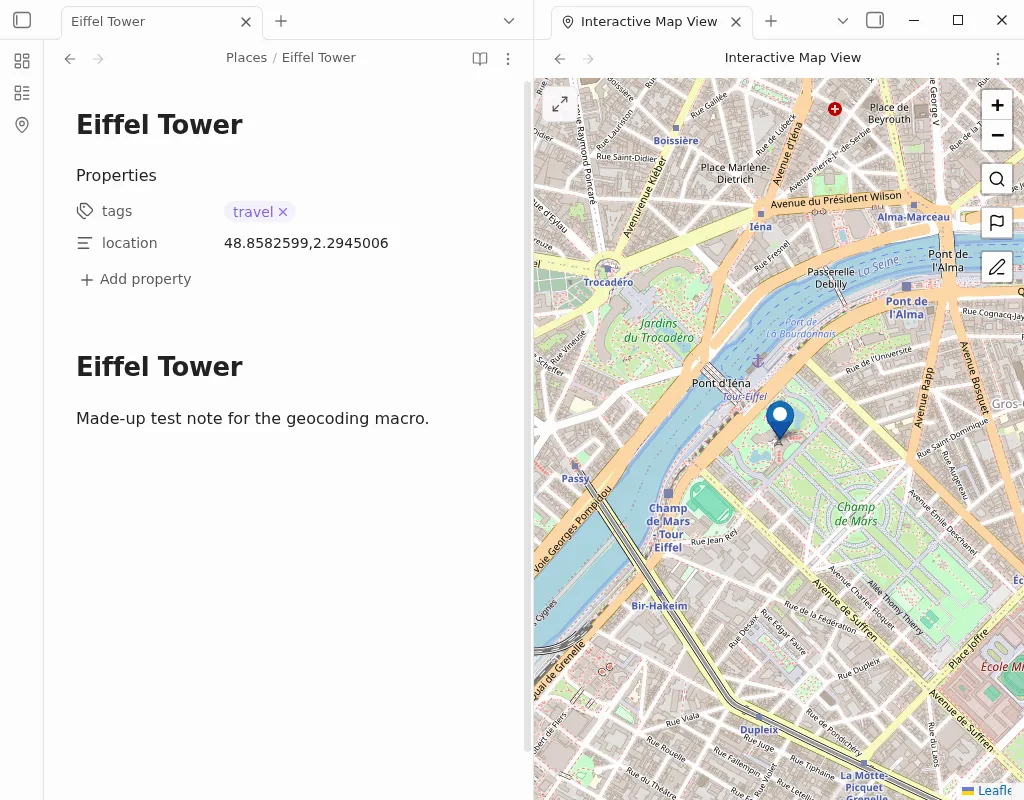
This macro asks you for an address, looks up its coordinates, and sets a location property on the note you have open. The value has the form lat,lng, for example location: 48.8582599,2.2945006. That is the front matter format the Obsidian Map View plugin recommends and writes itself, so Map View places the note on its map.
Before you start
Section titled “Before you start”- The script looks up addresses with Nominatim, OpenStreetMap’s free geocoding service. It needs an internet connection but no account or API key. Nominatim uses the first match, so a specific address (street, city, country) gives the best result.
- No other plugin is needed to write the property. Install Map View if you want to see your notes on a map.
- Grab the script from this page. You can either click the download link, or copy the file contents and save them as
getLongLatFromAddress.js. The.jsextension is essential. - Save the file anywhere in your vault (not inside the
.obsidianfolder). For a fuller walkthrough with video, see the guide to installing user scripts. - In Settings → QuickAdd, click New choice → Macro. The Macro Builder opens; click its name at the top to rename it (I call mine
Mapper). If you close the builder, click the gear (Configure) button on the choice in the list to reopen it. See the Macro choice docs for a full walkthrough. - In the Macro Builder, place your cursor in the User scripts field to bring up a suggester, pick
getLongLatFromAddress.js(or click Browse to select the file), and click Add. It should appear as the first command. - Close the QuickAdd settings.
What you get
Section titled “What you get”Open the note you want to place, run the macro with the QuickAdd: Run command in the command palette, and pick your choice. Enter an address, and QuickAdd sets the note’s location property to that address’s coordinates:
---location: 48.8582599,2.2945006---If the note already has a location property, the script replaces its value. If Nominatim finds no match, you get a notice and the note is left unchanged.